Protect the EA Account Behind Your Apex Progress
Account access is part of maintaining a playable setup. Use official EA security controls, keep recovery access available and treat requests for passwords or verification codes as a reason to stop and verify the source.
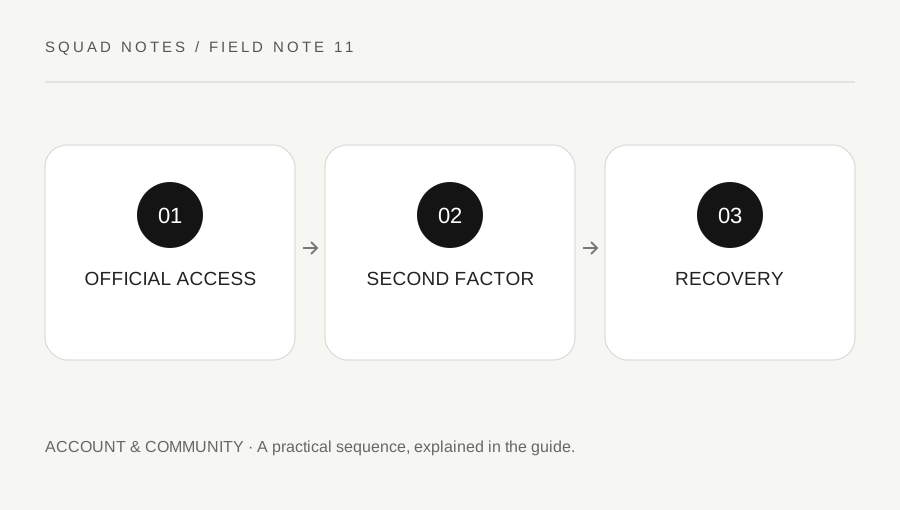
Original explanatory diagram. Examples illustrate a method or decision; they are not claims of personal testing.
Start from an official route you recognize
Open EA account settings through the official service rather than following a message promising free currency, an urgent trade or a special account repair. Inspect the destination carefully before entering credentials. A familiar logo in a message does not establish that the sign-in page is genuine.
This site cannot inspect or recover your account. It does not ask for a password, authentication code, passkey or account session. Use EA's official security and support pages for any account action, and keep sensitive details out of public gameplay discussions.
Write which email address and platform account you normally use in a private location you control, without publishing the password. Knowing the intended account relationship can help you avoid signing into the wrong profile or making an uninformed linking change while trying to solve a login problem.
Use the current second-factor options
EA provides two-factor authentication through its current account-security process. Follow the official instructions for the options available to your account. A second factor adds protection beyond a password, but it still needs careful handling of codes and recovery information.
Never share a verification code with someone claiming to be a teammate, support helper or tournament organizer. A request to read out a code can be an attempt to complete another person's sign-in. Use official support if you are uncertain about a message's legitimacy.
Keep access to the recovery method you select and store any recovery material according to EA's directions in a private secure place. Do not test recovery by deliberately locking yourself out or unlinking accounts without understanding the consequences. A preparation check should reduce risk rather than create a new access problem.
Treat linked-platform changes as account actions
Apex can be played through different supported platforms and account relationships. If you need to change a link or recover access, read the current EA instructions for your exact situation. Do not assume that unlinking and relinking is harmless or that progress will follow any account automatically.
For a worked example, a player sees an unexpected profile and considers unlinking the platform immediately. A better first step is confirming which EA account is signed in and reviewing the official linking guidance. The discrepancy may be an account-selection issue rather than a reason to remove a working relationship.
Keep screenshots or support notes free of tokens, codes and full personal details before sharing them. A public forum can help discuss a general symptom, but it is not a suitable place to post proof that allows someone else to access the account.
Respond to a suspected problem through support
If you suspect unauthorized access, use EA's official recovery and security process. Change credentials only through the verified service and review the available account protections. This article cannot determine whether a suspicious message or login event represents a compromise.
Prepare a concise support description: what changed, when you noticed it and which platform is involved. Provide sensitive ownership evidence only through the official secure process when requested. Do not pay an unofficial recovery service or give it remote control merely because it claims a faster result.
Finish by checking that you can reach the chosen recovery method and recognize the official route for future problems. Account security is not a one-time guarantee, but a few maintained habits can prevent a gameplay inconvenience from becoming an avoidable access loss. Keep the focus on official controls and private recovery readiness rather than speculative fixes from strangers.
A practical checklist
Choices are saved in this browser. Reset them here or clear this site’s browser storage.
Questions that come up
Will this site recover my EA account?
No. It provides links and an organizational checklist. Account recovery must use EA’s official process.
Should I give a helper my verification code?
No. Keep passwords, codes and passkeys private. Verify support through official EA channels.
Is unlinking a universal fix for missing progress?
No. Confirm the signed-in account and read current linking guidance before changing a relationship that may affect access or progress.
References & scope
Background references checked on 18 October 2026. Worked examples and diagrams are original teaching material.