Apex Mute and Report Controls: End Disruption and Send Useful Evidence
Muting and reporting serve different purposes. Use the current in-game controls to reduce disruption, report conduct through the appropriate route and keep the evidence factual rather than escalating the encounter.
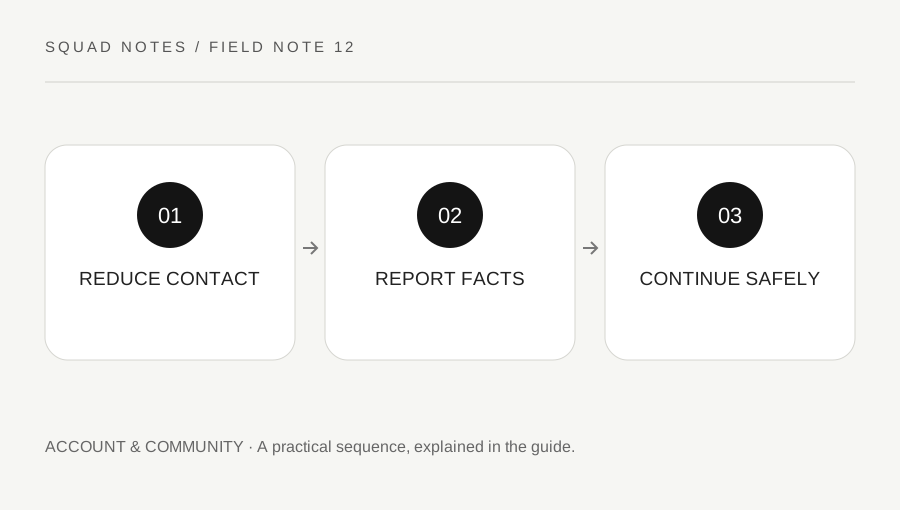
Original explanatory diagram. Examples illustrate a method or decision; they are not claims of personal testing.
Use mute for the immediate communication problem
If voice or text becomes disruptive, use the available in-game mute controls for the relevant player or channel. EA's current Apex reporting article explains where those controls are located. Platform interfaces can change, so follow its live instructions rather than relying on an old screenshot.
Muting changes what you receive; it is not the same action as reporting a rule violation. You can reduce contact without waiting to complete a complaint, and a report does not necessarily stop the current audio by itself. Knowing the distinction helps you choose the tool that addresses the immediate issue.
Do not reply with personal information or a threat. A short disengagement from the exchange can preserve attention for the match and prevent a record of harassment from turning into a longer conflict involving your own conduct.
Report through the correct route
EA recommends in-game reporting for Apex issues when available because that route provides the appropriate game context. Use the category that matches the observed conduct and describe facts rather than inventing certainty about a player's motives or software.
If the incident occurred through a console platform's messaging system, the platform may have its own reporting process. Follow EA's instructions about the relevant route. Do not assume that one report submitted on a website automatically reaches every platform service involved.
For a worked example, a player sends abusive voice messages during a match. You mute the player to stop the immediate disruption, then use the current in-game report controls for the conduct. If separate platform messages arrive afterward, use that platform's supported reporting controls as appropriate.
Keep evidence concise and private
Record the approximate time, mode and the behavior observed if the official process requests details. A factual description such as “repeated targeted slurs in voice chat” is more useful than a long accusation about every aspect of the player's account. Do not fabricate a cheating claim because a fight felt unfair.
Review recordings or screenshots before sharing them through an official route. They may contain your own information, other players' identifiers or unrelated private communication. Publicly posting a person's details is not a substitute for reporting and can create further harm.
This site does not accept reports or investigate players. Do not place usernames or allegations in a local practice note expecting a moderation action. Use the official reporting system, which can provide the context and categories required for its own review.
Return attention to the match and your own controls
After muting or reporting, decide whether you can continue comfortably. Use supported privacy and communication settings for future sessions if a particular channel repeatedly causes problems. Preserve useful squad communication where possible, but do not feel required to tolerate abuse to remain cooperative.
Avoid repeatedly checking for a punishment outcome or contacting the reported player. A report starts the provider's review process and does not guarantee a visible result on your preferred timetable. Keep any confirmation privately if the service provides one.
Finish by reviewing which controls solved the immediate issue and which route handled the conduct report. That practical knowledge is reusable in a future incident. The goal is reducing unwanted contact and submitting accurate information through the proper system, while allowing the provider to assess the conduct rather than turning the match into a public argument or an unsupported accusation campaign.
A practical checklist
Choices are saved in this browser. Reset them here or clear this site’s browser storage.
Questions that come up
Does muting automatically report a player?
No. They are separate controls with different purposes. Use the reporting route when you want the provider to review conduct.
Can I report an Apex player through this site?
No. Use EA’s current in-game process or the appropriate platform route described by official support.
Does a report guarantee an immediate visible penalty?
No. The provider reviews reports under its process. Submit accurate information and avoid contacting or publicly targeting the player afterward.
References & scope
Background references checked on 18 October 2026. Worked examples and diagrams are original teaching material.